Step 01
Minimum Working Example
Purpose
This page documents the minimum end-to-end workflow in KPG Platform:
Download the KPG test dataset
Run
DC OPFin KPG RunExport the solved results
Visualize outputs in KPG View
Demonstration Scenario
Dataset:
KPG193 v1.5Example solve mode:
DC OPF - DC Optimal Power FlowExample run window:
Day 1(24hourly snapshots)
Step 1: Download KPG TestGrid Dataset
Open the KPG TestGrid Repository and download the dataset ZIP package.
Click Code
Select Download ZIP
Extract the ZIP to a local folder
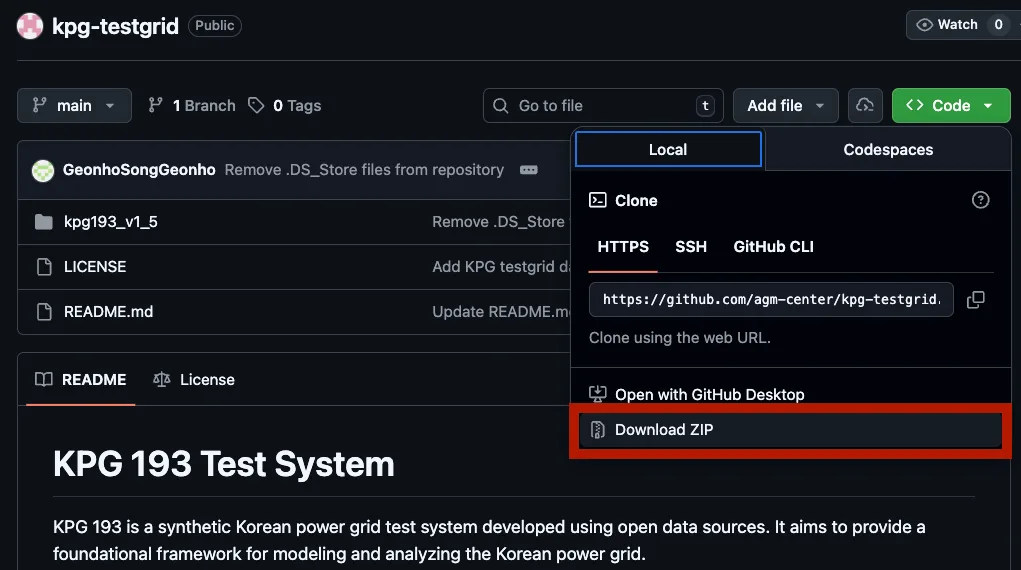
Download the KPG TestGrid ZIP package from the repository page.
Step 2: Load the Folder and Solve DC OPF in KPG Run
In KPG Run, configure the run directly from the extracted dataset folder.
Click Change Folder and select the extracted dataset
Confirm the data check message (
All required and optional files found)Set Problem Type to
DC OPF - DC Optimal Power FlowSet the day index and click Solve
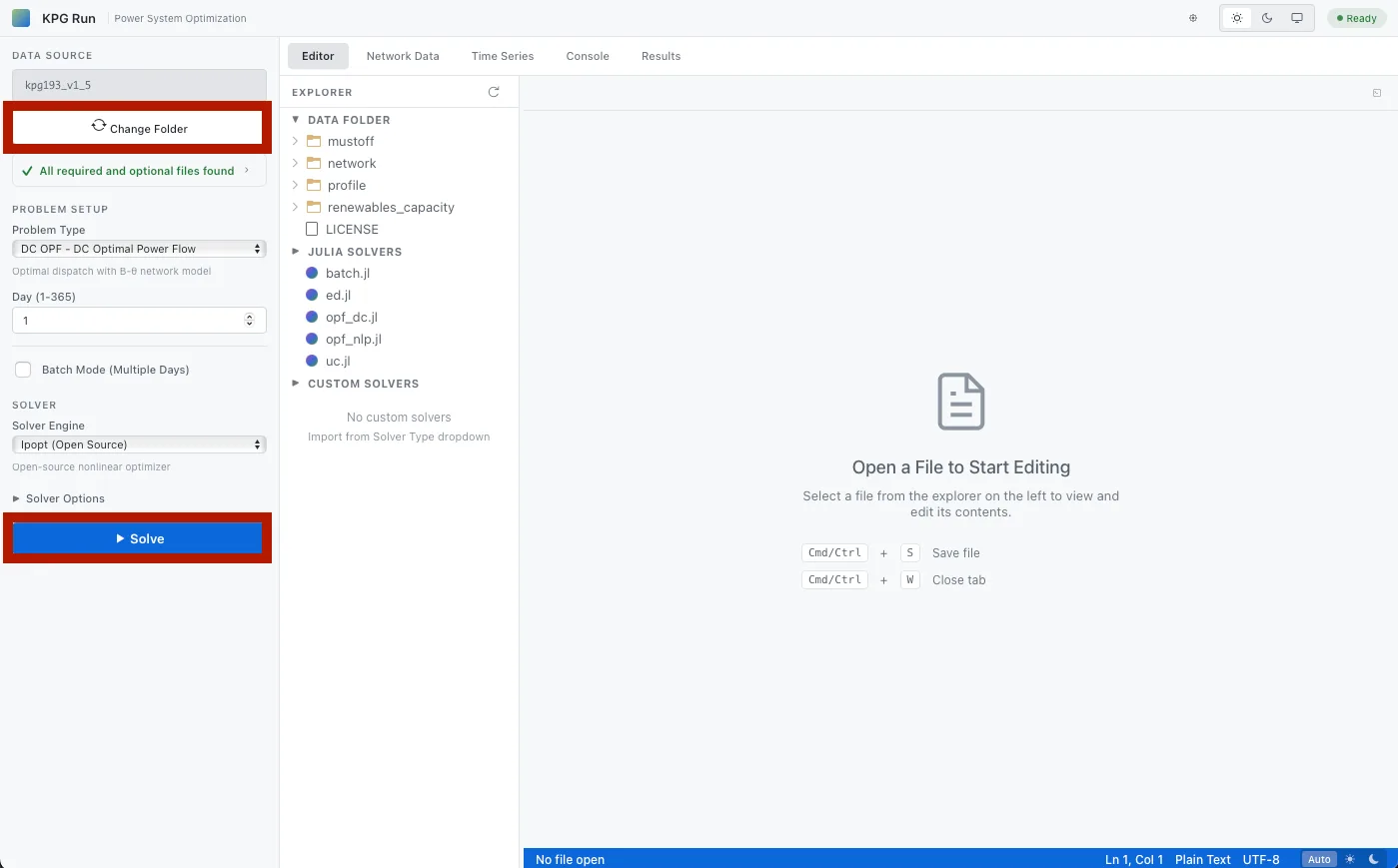
Load the dataset folder, choose DC OPF, and run the solver.
Expected checks:
Solve status is successful (
locally solved/optimal)Result tables and charts are available in the Results tab
Step 3: Export the Solved Result Bundle
After solving, move to the Results tab and click Download ZIP.
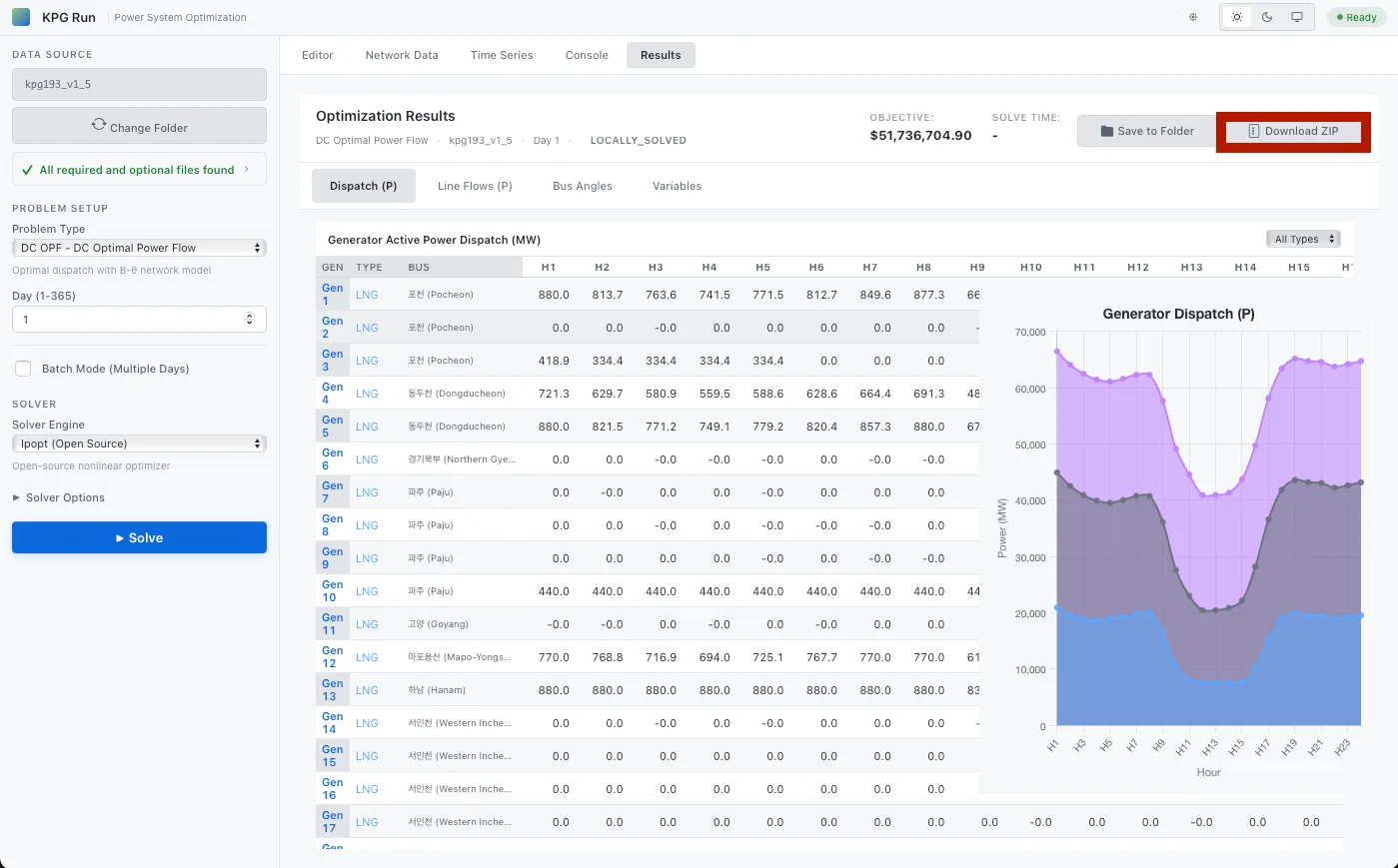
Export the solved result bundle as a ZIP file from the Results tab.
This export contains the snapshot outputs used in KPG View.
Step 4: Open the Result in KPG View
Open KPG View and load the exported result file (ZIP or extracted snapshot folder).
Click Open
Select the downloaded result package
Use Layers to turn feature groups on/off
Use Details/Selection to inspect buses, lines, and generators
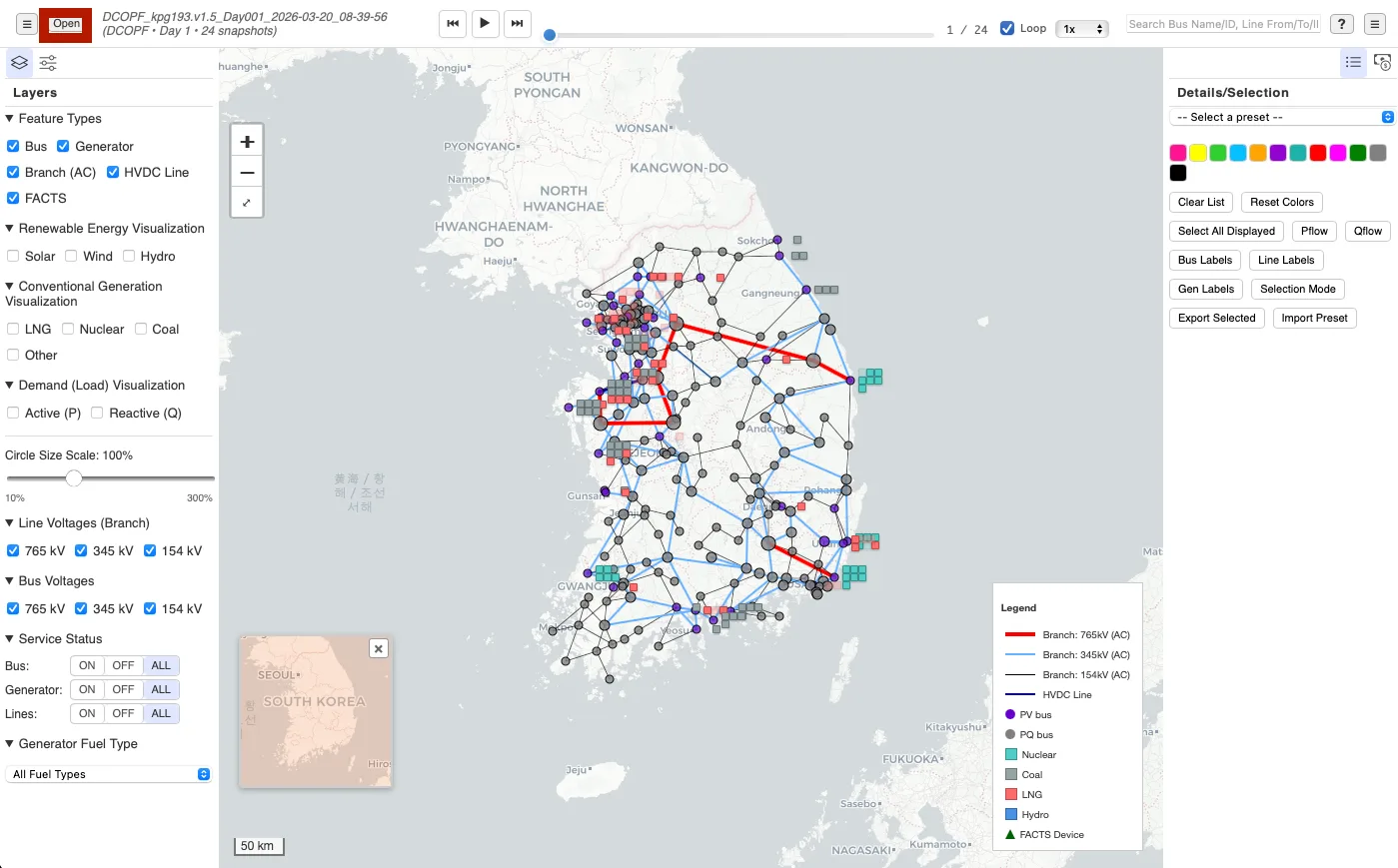
Open the exported result in KPG View and inspect map layers and network details.
Next Step
After this minimum workflow runs successfully, continue to:
Online Exhibition for practical use-case narratives and assets
Comparison Report for quantitative benchmarking results
Related Documentation
KPG Run: Getting Started KPG Run: Installation KPG View: Getting Started